Guide
What to monitor on a school network
A plain checklist for school IT staff. Last checked against the DfE's servers and storage guidance on 19 November 2026.
Most school IT problems are first noticed by a teacher with a class waiting. Monitoring is how IT finds out first. This is a checklist of what is worth watching, why each thing matters in a school, and which of them Groundskeeper by RSJ Software covers.
The checklist
| Watch | Why it matters in a school | What to look for | Groundskeeper |
|---|---|---|---|
| Internet connection | Lessons, the MIS and Microsoft 365 all depend on it. | Can you reach the internet and the services you use, and how quickly? | Yes. Internet Health makes HTTPS checks every 5 minutes by default. School Services checks common school cloud services, and MIS Status shows Arbor's published status. |
| Firewall | Everything passes through it, and it carries your VPN tunnels. | Is it reachable? Are tunnels up? Are its subscriptions about to run out? | WatchGuard Firebox: reachability and VPN tunnels. FortiGate (beta): a unit offline, CPU, memory and subscriptions running out. |
| Switches | One failed core switch can take a building offline. | Reachable? Port status, error counts, uptime. | Yes, over SNMP (tested on HP ProCurve and Aruba), and Cisco Meraki switches. |
| Wi-Fi | Tablets, laptops and exams all rely on it. | Is each access point up? | Cisco Meraki access points. Aruba Central and Ubiquiti UniFi are in beta. |
| Servers | Domain controllers, file servers and the MIS server. | CPU, memory, disk, services, uptime, and hardware health. | Windows Servers, Hyper-V, Dell iDRAC; HPE iLO and VMware vSphere in beta. |
| Backups | The difference between a bad day and a lost term. | Last result, age of the newest copy, restore tests. | Veeam; Microsoft DPM and Synology in beta. See how to check your school's backups. |
| Microsoft 365 | Email, Teams, OneDrive and sign-in. | Service incidents; licence seats running short. | Yes: service health through Microsoft Graph, and licence usage. |
| Disk space | A full disk stops servers and backups. | Servers and classroom PCs. | Yes, servers and PCs. Servers warn at 90% full and go critical at 95% by default. |
| Certificates | An expired certificate breaks web portals and VPNs without warning. | Days left on each certificate. | Yes. It warns 30 days ahead and goes critical at 7 days by default. |
| UPS | Power cuts and dips in the comms cupboard. | Battery level, runtime left, load, on battery or not. | Yes, APC and Eaton over SNMP. |
Beta means built from the vendor's documentation and not yet proven on many real sites. The full list, with every setting, is in the documentation.
Beyond the ten: Active Directory replication, DHCP scopes filling up, patching status through Action1, printer toner, and the email security records for your domain are covered too.
Where to start
If you can only watch a few things first, make it the internet connection, backups, server disk space, certificates and the UPS. Each can fail quietly for a long time before it fails loudly. Groundskeeper's free Community edition lets you choose five connectors, so that list fits.
The DfE's servers and storage guidance says to ask your IT support to monitor performance and alert you if a component or service fails. It also asks for a UPS with automatic, safe shutdown of servers and a minimum of 30 minutes of run-time.
Alert on what someone must act on
A monitor that shouts all day gets ignored. Set warnings you would genuinely act on, and make a one-second spike not count. Groundskeeper's CPU and memory warnings, for example, wait for two readings in a row before raising anything.
Make sure someone is told
Decide who gets each alert, and that they are not the person on leave. Email alerts depend on Microsoft, so on the day Outlook is down they may not arrive. Groundskeeper can also send alerts to a phone through ntfy.
Where Groundskeeper helps — and where it does not
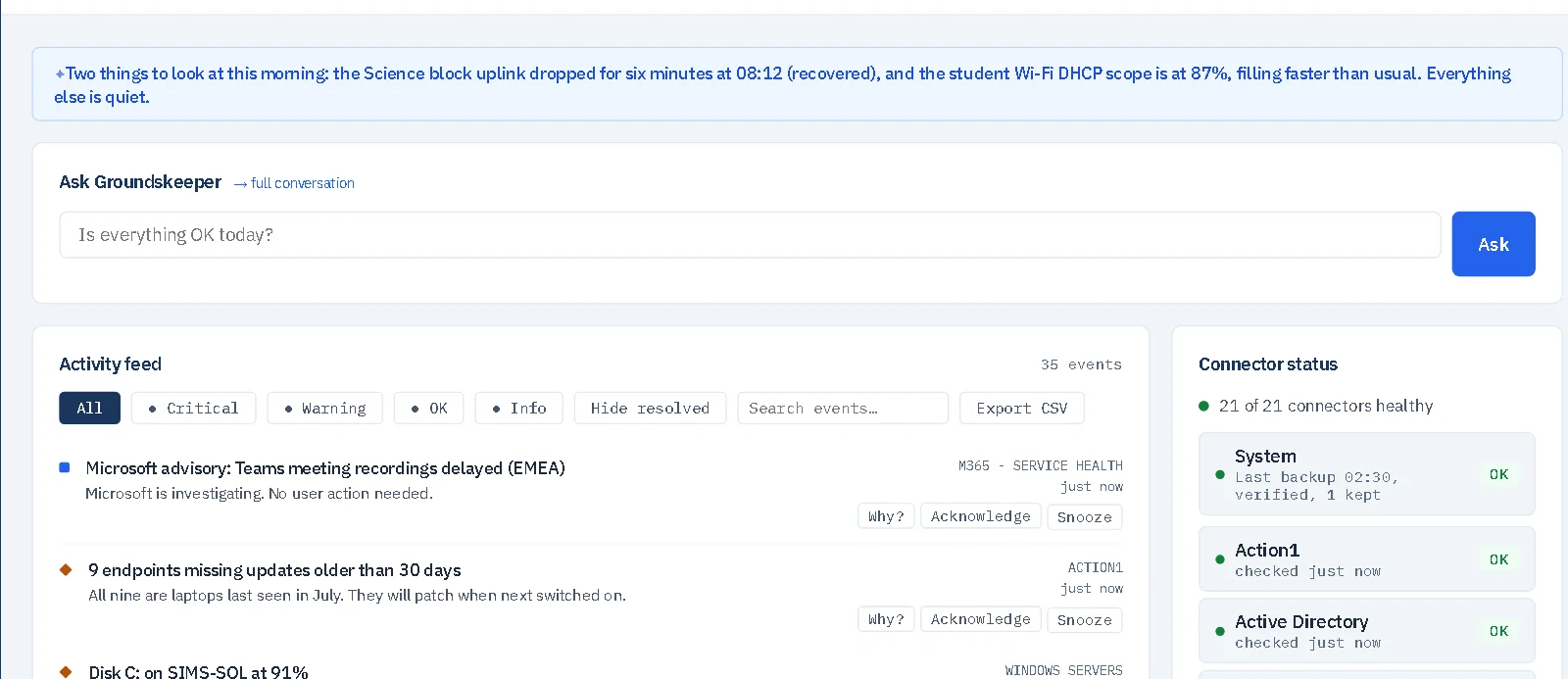
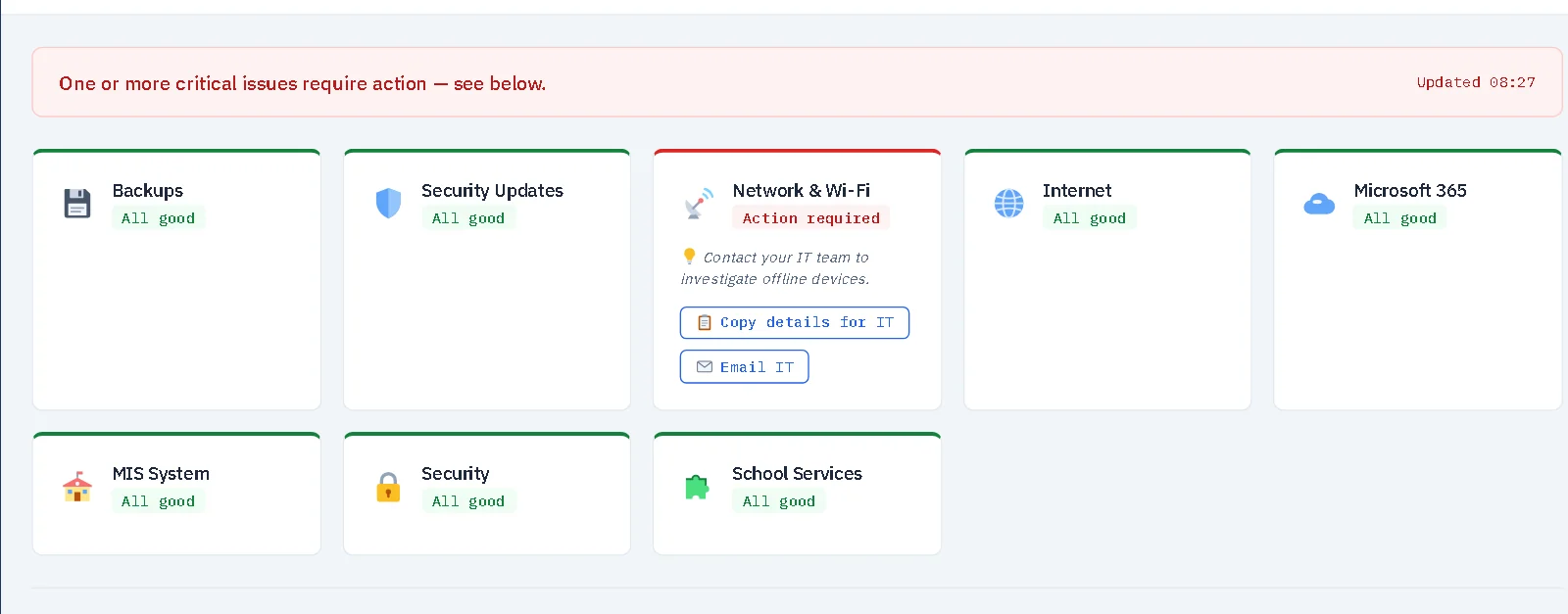
- It covers the list above, with a plain-English dashboard and a traffic-light view for senior leaders.
- It only watches. It never changes anything on the systems it monitors.
- It is not a filtering or safeguarding monitoring product, and it is not antivirus.
- It runs on a Windows server inside your school, and your monitoring data stays there.
There is a free Community edition. See pricing for what each edition includes.
Find out more about GroundskeeperQuestions people ask
What is the first thing to monitor on a school network?
Start with the things that fail quietly and stop the school when they do: the internet connection, backups, server disk space, certificate expiry and the UPS that protects your servers.
Do I need a separate tool for each thing?
Not necessarily. Some schools use one tool for everything. Others pair a simple uptime checker with a vendor's own console. What matters is that someone is told, and that it is one person's job to look.
Is this the same as filtering and monitoring for safeguarding?
No. Filtering and monitoring in the DfE standards is about what pupils see and do online. This guide is about whether the IT itself is working. Groundskeeper is not a filtering or safeguarding monitoring product.
More guides: How to check your school's backups actually ran · Free IT monitoring for a small school · The DfE filtering and monitoring standards, explained · Cyber Essentials for schools: what you actually need · The RPA cyber cover conditions, checked · Microsoft 365 Education changes: what UK schools need to know.
All guides, documentation and videos.
The official guidance: Servers and storage (DfE), last updated by the DfE on 16 September 2026. For networks see also the DfE's network switching and wireless network standards. This guide is a summary; where they differ, the DfE's own wording is what counts.