Compare
A self-hosted alternative to PRTG for schools
PRTG is a well-known network monitor. Groundskeeper by RSJ Software is another self-hosted option, built for schools. Here is where they differ, and when PRTG is the better choice. Checked on 19 November 2026; the prices come from our comparison page, checked on 26 September 2026.
Who PRTG suits
PRTG, from Paessler, is a general-purpose monitor you install on Windows. It uses auto-discovery to suggest sensors for each device, and you tune them within your sensor allowance. It suits IT teams that want to watch many kinds of kit and have the budget and the time to shape it.
Where Groundskeeper differs
Made for schools
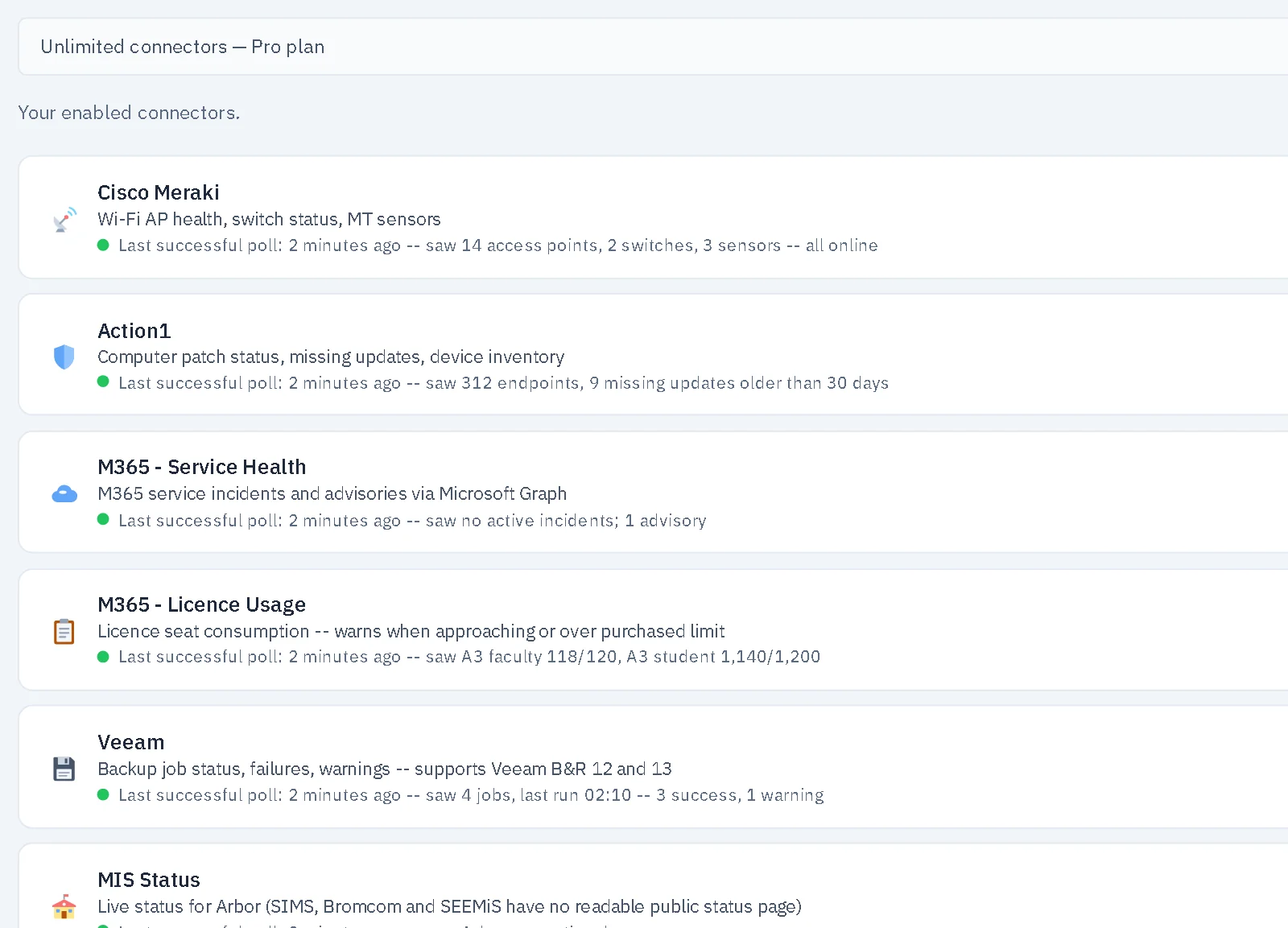
Connectors for the things schools run: Microsoft 365, Meraki, Veeam, Action1, your MIS and school services. A Cyber Essentials readiness view and a DfE filtering and monitoring readiness check. PRTG does not have these built in.
Price by school, not sensor
PRTG is priced by sensor count, and Paessler suggests 5 to 10 sensors per device. Groundskeeper costs the same however many devices a school has. See pricing.
A view for leaders
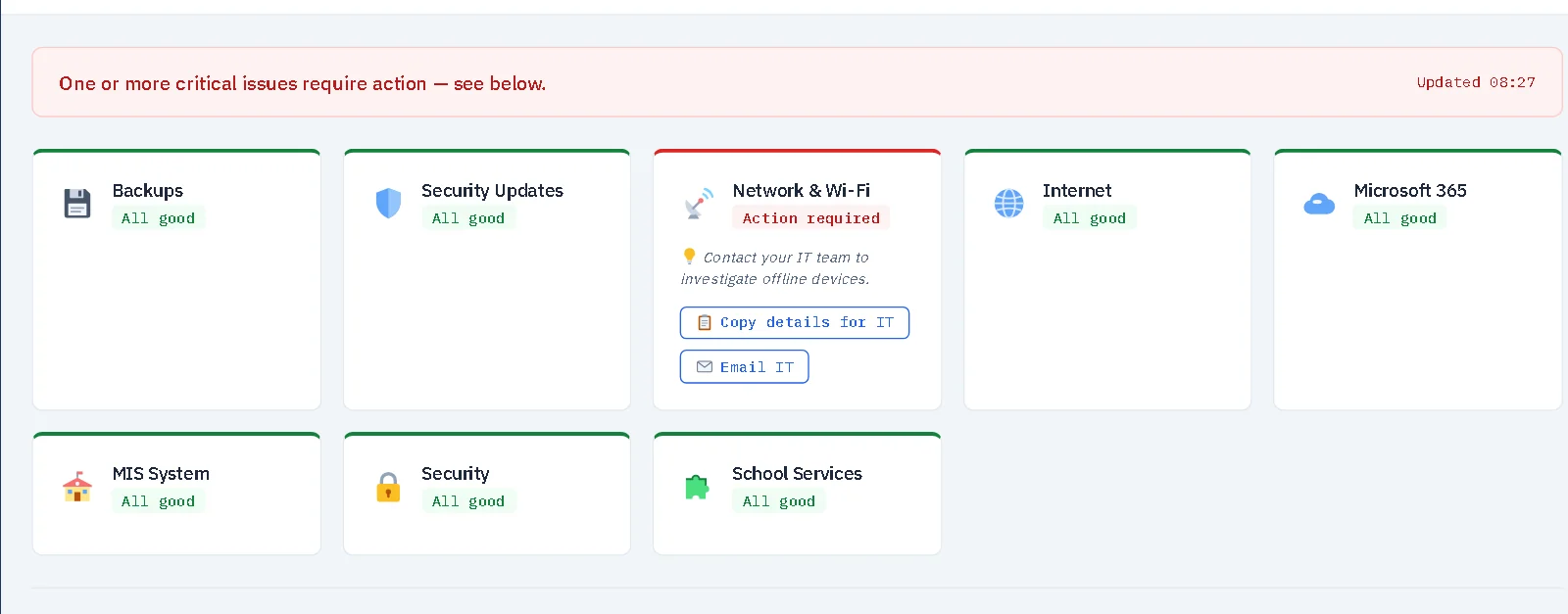
A plain-English traffic-light page for senior leaders, and AI summaries that can run on your own server.
Many schools, one hub
A trust can see every school from one hub while each school keeps its own data on its own server. With PRTG that is one central server.
What PRTG costs for a school-sized estate
List prices before any education or volume discount, in US dollars as Paessler publishes them, from our comparison page (checked 26 September 2026). Your own quote may be lower.
| School | Sensors needed | PRTG, first year | PRTG, three years |
|---|---|---|---|
| Primary, about 150 devices | about 750–1,500 (the 1,000 or 2,500 tier) | US$4,296–8,904 | US$12,888–26,712 |
| Secondary, about 900 devices | about 4,500–9,000 (the 5,000 or 10,000 tier) | US$15,600–19,704 | US$46,800–59,112 |
Sources: Paessler pricing and tier prices reported. Paessler's free edition is limited to 100 sensors, about 10 devices (checked 19 November 2026).
When PRTG is the better choice
- You need deep performance graphing across a large network and have the budget or staff to build it.
- You already run PRTG and it works. There is little reason to move.
- You want one monitor for kit that has nothing to do with schools.
If your main worry is the school's own systems — backups, servers, Microsoft 365, the internet connection — and you want them in plain English, Groundskeeper is built for that.
See the full comparisonQuestions people ask
Is there a self-hosted alternative to PRTG for schools?
Yes. Groundskeeper by RSJ Software is self-hosted school IT monitoring that installs on a Windows server, like PRTG, but is built for schools and priced per school rather than per sensor.
Is PRTG free for schools?
PRTG has a free edition, limited to 100 sensors, which Paessler puts at about 10 devices. Beyond that it is a yearly subscription priced by sensor count.
When should a school stay with PRTG?
If it already runs PRTG and it works, or it needs deep performance graphing across a large network and has the budget or staff to run it, PRTG is a strong tool.
Other comparisons: Alternative to Auvik · Alternative to Zabbix · How Groundskeeper compares, with dated prices.